A theme they actually care about.
A favorite show. A band. A movie. Or mixed trivia for the friend who knows a little about everything. Describe your own theme, prepare a library ahead of time, and play when it’s ready.
GOOD COMPANY. BAD GUESSES.
Built around your crowd. Pick the questions, set the sass, and watch a spectacularly wrong answer steal the show. A browser-based trivia game for family parties, friends and bar trivia nights. TrivIdiots runs the timers and scores, so even the host gets to play.
See the game in action 1:56Players join by QR code. One phone per team. No app or player account. Free trial: 3 questions + 1 bonus. No card required.

TAKE A LOOK
Emoji teams, bold guesses, live roasts and a questionable champion. See how your crowd creates the show in about two minutes.
You know that friend who's absolutely certain they know the answer? Bring them. This is Triv Idiots. A trivia night with big guesses, ridiculous answers, and just enough friendly humiliation to keep things interesting.
Get your people together, put the game on a big screen, and let the app run the questions, timers, and scores. Even the host can join a team. You get to be part of the night, too.
Joining is the easy part. Scan the QR code on the waiting screen, type a team name, and you're in. One phone per team. No app to install. No player account. No wandering around trying to find the game.
[On screen, with music] Answer in emojis. Yes, really. Correct + entirely emoji = 1.5 points Normal questions only. The meaning must fit.
Some answers deserve more than a red cross. A standout imaginative wrong guess can get roasted, then earn a separate half point for creativity. A raccoon playing keyboards for an intergalactic toaster? Terrible trivia. Excellent commitment to the bit.
And every round ends with a bonus wager. First, you see the question. Then you privately choose how many of your points to risk, within the limit shown on your phone. Play it safe, or back yourself. Your rivals don't see your wager while you're choosing.
[On screen, with music] Turn up the fun. Short phone beeps. Targeted roast stings. Five music styles on the shared screen.
[On screen, with music] Win the night. Take the sass. Victory music. Cheers. One last callout from the announcer.
Make it a Beatles night. A favorite-show showdown. Or go with mixed trivia and find out who knows a little about everything. Prepare your questions before the party, then use a ready library to create your game.
[Closing card] Try a free mini-game at trividiots.live. Players 13 and older. Shared screen optional.
MORE THAN “WHO KNOWS THE MOST?”
Your teams. Your answers. Your ridiculous moments. The app runs the show, and your crowd makes it personal.
A favorite show. A band. A movie. Or mixed trivia for the friend who knows a little about everything. Describe your own theme, prepare a library ahead of time, and play when it’s ready.
AI-generated library questions use source evidence and two separate review steps. A solver answers without the key; an editor reviews evidence, wording, and fairness. Failed reviews stay out.
Extra review helps catch mistakes. Questions and AI grading can still be wrong. The built-in mixed collection is a separate source.
Each round ends in a bonus wager. Look at the question, privately choose how many points to risk, then answer in 60 seconds. Right: win your wager. Wrong: lose it. Suddenly, the leaderboard gets interesting.
Game points, not money.A standout imaginative wrong answer can earn a playful roast and a separate 0.5 creativity point. The shared-screen announcer can call out your team by name. Correct all-emoji normal answers earn 1.5 points. Choose Friendly, Sassy, or Savage-ish to suit your crowd.
“A raccoon playing keyboards for an intergalactic toaster.”
Terrible trivia. Excellent commitment to the bit.SMALL LEARNING CURVE. BIG NIGHT.
Get a host key. Choose mixed trivia or prepare a themed question set before guests arrive.
Create a game, then share its invite link or lobby QR code. Add a TV or projector if you want a bigger shared view; teams can also follow the game entirely on their phones.
Three rounds. Thirty normal questions. Three bonus wagers. The app handles the routine.
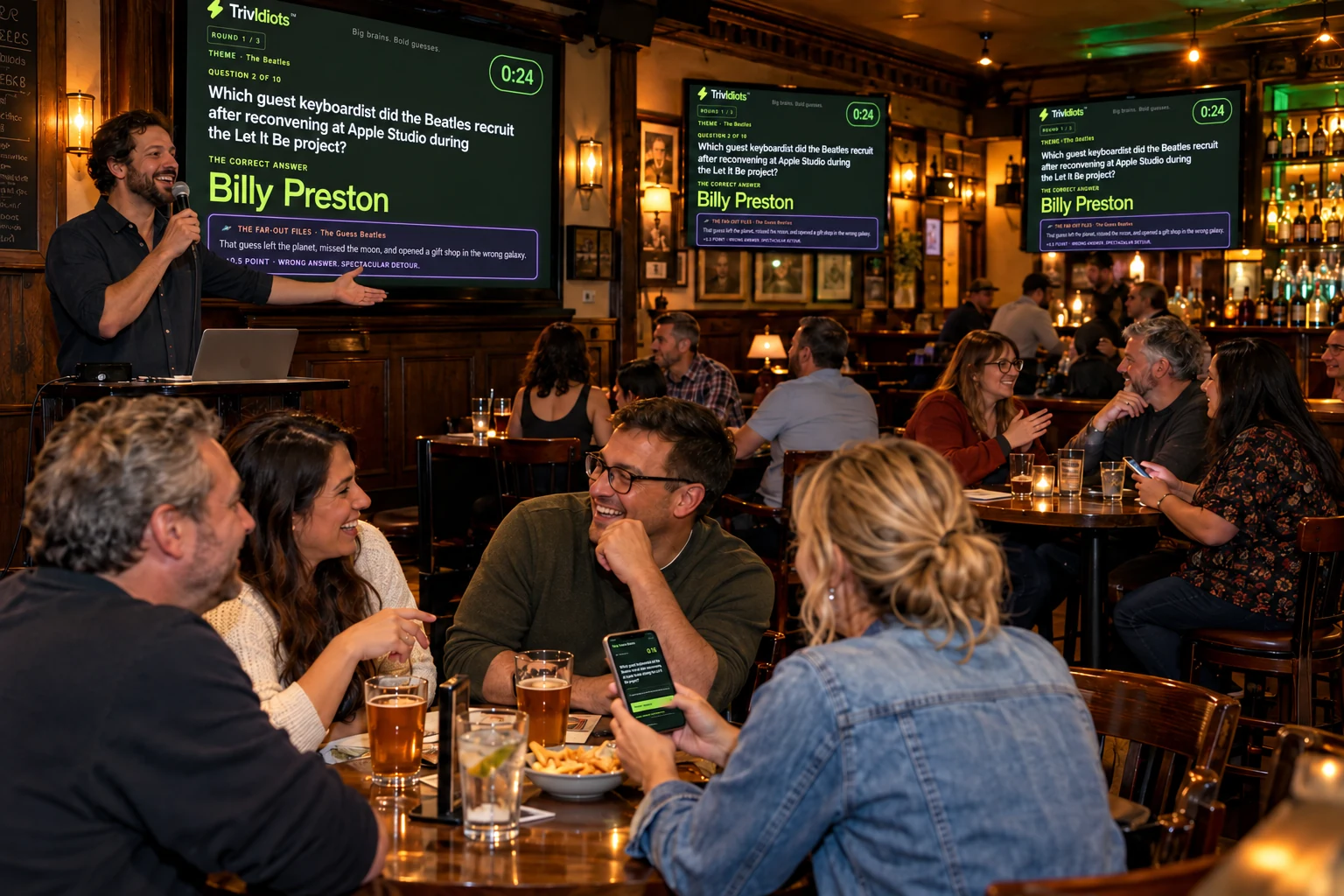
FOR BARS & VENUES
You bring the mic and the crowd. TrivIdiots brings the questions, timers, answer reveals, and scores. Keep your attention on the room.
$59/month · 50 hosted games per billing month · Up to 40 teams. Questions? Talk to us.
YOUR CROWD. YOUR KIND OF NIGHT.
$20 once. 10 full games for personal gatherings, up to 8 teams. Play from the ready starter collection.
Plan your next game night →$29/month. 20 full games per billing month, up to 10 teams. Starter questions plus a fresh shared monthly mixed collection. No personal question generation.
Keep game night going →$59/month. 50 full games per billing month, up to 40 teams. Monthly mixes plus 1 custom themed-library credit each month. No personal mixed generation.
Bring trivia to your venue →A full game has 30 questions and 3 bonus wagers. Game allowances count hosted sessions using saved pools; they do not create a new library each time. Pools may repeat. Applicable tax is calculated at checkout.
Compare every package, including Headliner →LET’S MAKE A SCENE
Your saved libraries and games are waiting. Open the dashboard with the host key you were provided.
Open the host dashboardTry the free mini-game or choose a party or venue package. Verify your email for a trial key; paid keys appear after confirmed checkout.
Get instant host access support@trividiots.liveHere to play someone else’s game? Join with your game code
A laptop, desktop or larger tablet for the host controls, one phone per team, and internet access. A shared TV or projector is optional. Players must be 13 or older.
Choose Test Drive or a paid package, verify your email and complete payment if needed. Then open your host dashboard and follow the main next step: name your game and select Open my lobby. Ready starter questions are included. Gift recipients receive a TrivIdiots email with an Open my host dashboard button and verify their recipient email first. Extra settings and question tools are optional.
Look for TrivIdiots from support@trividiots.live in Spam/Junk as well as your inbox. On the verification page, check the address, use Fix email address if needed, or Resend code when the countdown ends. Use the newest code. If a gift invitation is missing, visit trividiots.live/get-started/gift with the same recipient email.
No. Players see questions, picture and emoji clues, answer results, and scores on their team’s smartphone page. Team rankings appear on the leaderboard between rounds and at the end. A TV, projector, or shared computer screen is optional: it gives everyone a bigger view of the same game. Without one, use Copy invite to send the game link, or share the game code. The host still keeps the host controls open to start and manage the game.
New personal libraries prepare normal questions independently. Game setup selects three bonuses from a finite reviewed deck and freezes them for that game. Hosts are shown remaining unseen inventory; if it cannot fill the game, they choose reviewed text wagers or explicitly accepted repeats. The small starter deck is offline-reviewed, not human-playtested, and has no theme-specific visual inventory. Themed text fallback keeps the selected theme. Existing saved preparations and games retain their original bonus rules. No new picture or emoji generation is needed for this workflow.
No. You are more like the bouncer than a quizmaster. Set up a ready question set, invite your teams and press Start. The app runs the questions, timers, judging, scores and reveals. Keep answer spoilers closed and join a team yourself. Your host controls are there for pauses, late arrivals, removing a team or settling an answer dispute.
Both. Compete to win, but bring your sense of humor. Familiar themes, clever emoji rebuses, bonus wagers and spectacularly wrong guesses all have a place. TrivIdiots responds to the teams and answers in your live game: your crowd helps create the show. Choose Friendly, Sassy or Savage-ish commentary to fit the room. It is built for fun, not just showing off obscure facts.
Yes. Use words, emojis or a mixture for your team name. You can answer entirely in emojis too, when their combined meaning clearly gives the complete answer. A correct all-emoji normal answer earns 1.5 points; a correct text or mixed answer earns 1. A vaguely related symbol or several different guesses do not count. For an emoji rebus, decode it instead of copying its symbols. Bonus wagers keep their wager scoring; numeric tiebreakers need a number. Emoji team names do not earn extra points.
A selected wrong answer can get a playful team callout during the reveal. A standout far-out answer may also earn a separate 0.5 creativity point; not every wrong answer or roast earns that award. On the shared screen, the optional cranky AI announcer shouts the team name, pauses, then delivers the burn. Music dips for the voice, and the reveal waits for it within a bounded playback window. The winning team gets a sassy victory announcement too. Voice depends on connection and availability; the game and written reveals still work without it.
Yes—tap Enable sounds and turn up the volume for more fun. Team phones use short question and reveal beeps, plus a three-second warning if you have not answered. Only the roasted team gets the wah-wah-wah sting and vibration where supported. Only the winning team gets the long cheers and happy music. Continuous music and spoken callouts stay on the shared screen, so a room full of phones does not become a room full of competing soundtracks. Keep your team page open; after a phone interruption, tap to re-enable sound or refresh the same page if needed.
Yes. Preview five music styles on the host dashboard and save your preference for new games, or change the current game's Sound check. The shared screen has thinking music, relaxed reveal music, a more intense bonus-wager track and a champion celebration. Set the sass level for your crowd, and switch music, effects or the AI announcer off when you want. Enable sounds on each device you want to hear.
No. Creating a game selects questions from the Ready library you chose. The game prefers unused facts and screens for related subjects across all three rounds. A saved pool is finite, so it eventually repeats. Game allowances count sessions you start; library credits prepare new question sets. Monthly packs are included with eligible subscriptions and do not use a personal generation credit.
There is one bonus per round. You see the question before choosing your private wager, within your earned points and the displayed limit. Once wagers close, you have up to 60 seconds to answer. Correct answers win the wager; wrong answers lose it, with scores never below zero. The host can allow an all-in final bonus.
Yes. Compare hosting packages and choose the allowance that fits your venue. Prepare questions ahead, test Wi-Fi and any screens you plan to use, and explain your house or prize rules. For help, contact support@trividiots.live.