1. Choose your questions.
Use the starter collection or your monthly mixed collection. Venue Host includes 1 custom themed-library credit each month; prepare your questions before the event.
YOUR VENUE. YOUR TRIVIA NIGHT.
Run a weekly trivia night with TV questions, phone answers, automatic timers and scorekeeping. No full-time quizmaster required: the app runs the show while you play along or keep an eye on the room.
Explore Venue Host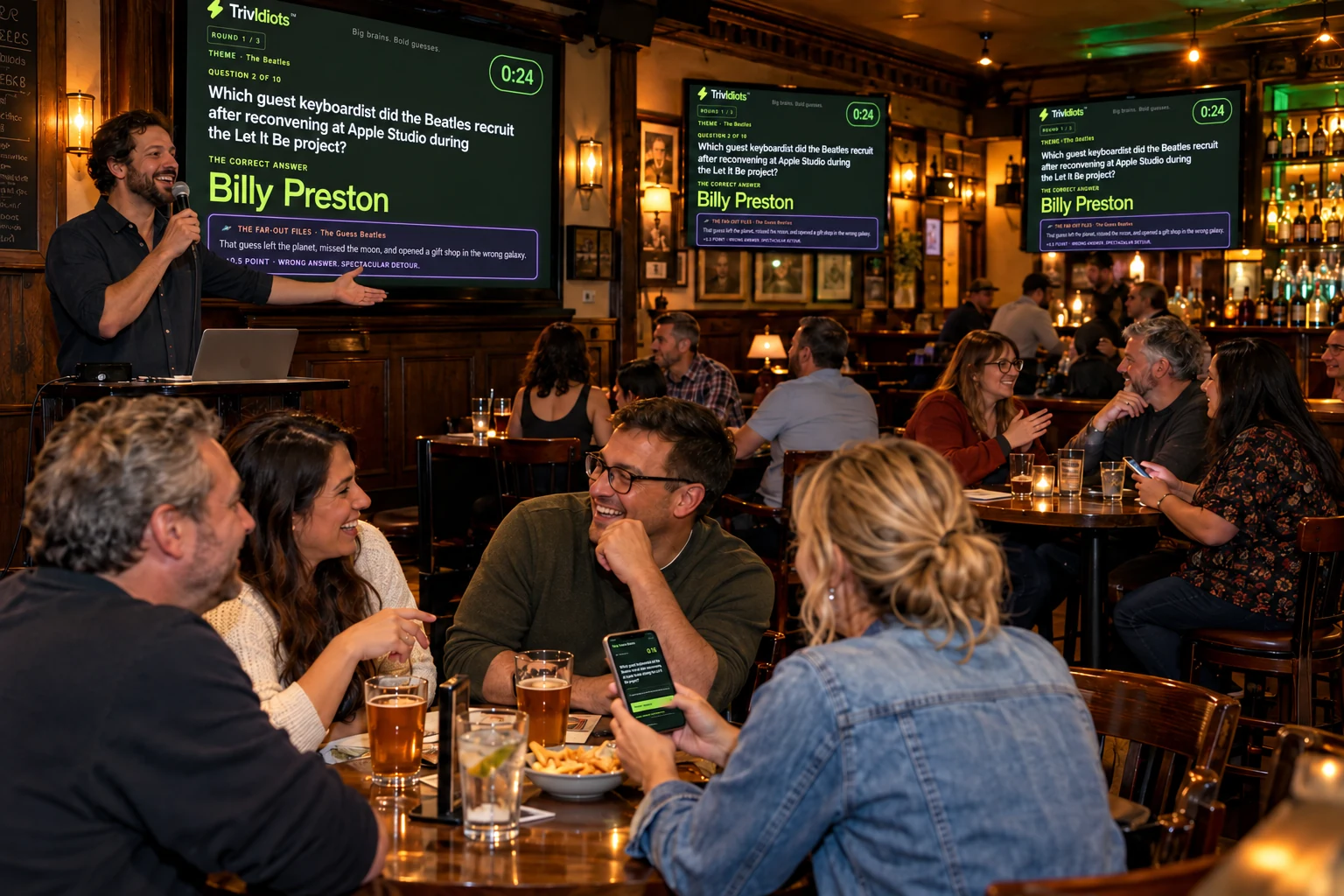
Use the starter collection or your monthly mixed collection. Venue Host includes 1 custom themed-library credit each month; prepare your questions before the event.
Create a game, then optionally open its shared screen on your TVs or projector. Players can follow the game on their phones. Test the venue internet connection and any screen setup before guests arrive.
Teams open the invite link or scan the QR code and enter a team name. One phone sends each team's answers. A full game has 30 normal questions and 3 bonus wager rounds.
Generated question libraries use retrieved source evidence. An independent solver answers without the key, then an editor reviews evidence, clarity and fairness. Failed reviews stay out. The starter collection is a separate question source.
Each round ends with a bonus wager using game points. Teams see the question, choose how many points to risk within the displayed limit, and get up to 60 seconds to answer. It can change the leaderboard.
Choose Friendly, Sassy or Savage-ish commentary. A standout imaginative wrong answer can earn a playful roast and a separate half point. The shared-screen announcer calls out real team names and answers. Correct all-emoji normal answers earn 1.5 points; emoji team names are welcome too.
Venue Host is $59/month: 50 hosted games, up to 40 teams, shared monthly mixed collections, 1 custom themed-library credit. Headliner offers more games and generation credits.
Game allowances count hosted sessions, not new libraries. Question selection prefers unseen facts from your chosen pool before returning to older selections. Saved pools are finite and can repeat. Monthly allowances do not roll over. Applicable tax is calculated at checkout.
Compare all hosting packages →No. You are more like the bouncer than a quizmaster. Set up a ready question set, invite your teams and press Start. The app runs the questions, timers, judging, scores and reveals. Keep answer spoilers closed and join a team yourself. Your host controls are there for pauses, late arrivals, removing a team or settling an answer dispute.
Both. Compete to win, but bring your sense of humor. Familiar themes, clever emoji rebuses, bonus wagers and spectacularly wrong guesses all have a place. TrivIdiots responds to the teams and answers in your live game: your crowd helps create the show. Choose Friendly, Sassy or Savage-ish commentary to fit the room. It is built for fun, not just showing off obscure facts.
Yes. Use words, emojis or a mixture for your team name. You can answer entirely in emojis too, when their combined meaning clearly gives the complete answer. A correct all-emoji normal answer earns 1.5 points; a correct text or mixed answer earns 1. A vaguely related symbol or several different guesses do not count. For an emoji rebus, decode it instead of copying its symbols. Bonus wagers keep their wager scoring; numeric tiebreakers need a number. Emoji team names do not earn extra points.
A selected wrong answer can get a playful team callout during the reveal. A standout far-out answer may also earn a separate 0.5 creativity point; not every wrong answer or roast earns that award. On the shared screen, the optional cranky AI announcer shouts the team name, pauses, then delivers the burn. Music dips for the voice, and the reveal waits for it within a bounded playback window. The winning team gets a sassy victory announcement too. Voice depends on connection and availability; the game and written reveals still work without it.
Yes—tap Enable sounds and turn up the volume for more fun. Team phones use short question and reveal beeps, plus a three-second warning if you have not answered. Only the roasted team gets the wah-wah-wah sting and vibration where supported. Only the winning team gets the long cheers and happy music. Continuous music and spoken callouts stay on the shared screen, so a room full of phones does not become a room full of competing soundtracks. Keep your team page open; after a phone interruption, tap to re-enable sound or refresh the same page if needed.
Yes. Preview five music styles on the host dashboard and save your preference for new games, or change the current game's Sound check. The shared screen has thinking music, relaxed reveal music, a more intense bonus-wager track and a champion celebration. Set the sass level for your crowd, and switch music, effects or the AI announcer off when you want. Enable sounds on each device you want to hear.
No. Players see questions, picture and emoji clues, answer results, and scores on their team’s smartphone page. Team rankings appear on the leaderboard between rounds and at the end. A TV, projector, or shared computer screen is optional: it gives everyone a bigger view of the same game. Without one, use Copy invite to send the game link, or share the game code. The host still keeps the host controls open to start and manage the game.
Choose a package or try the free mini-game →
Questions? support@trividiots.live